




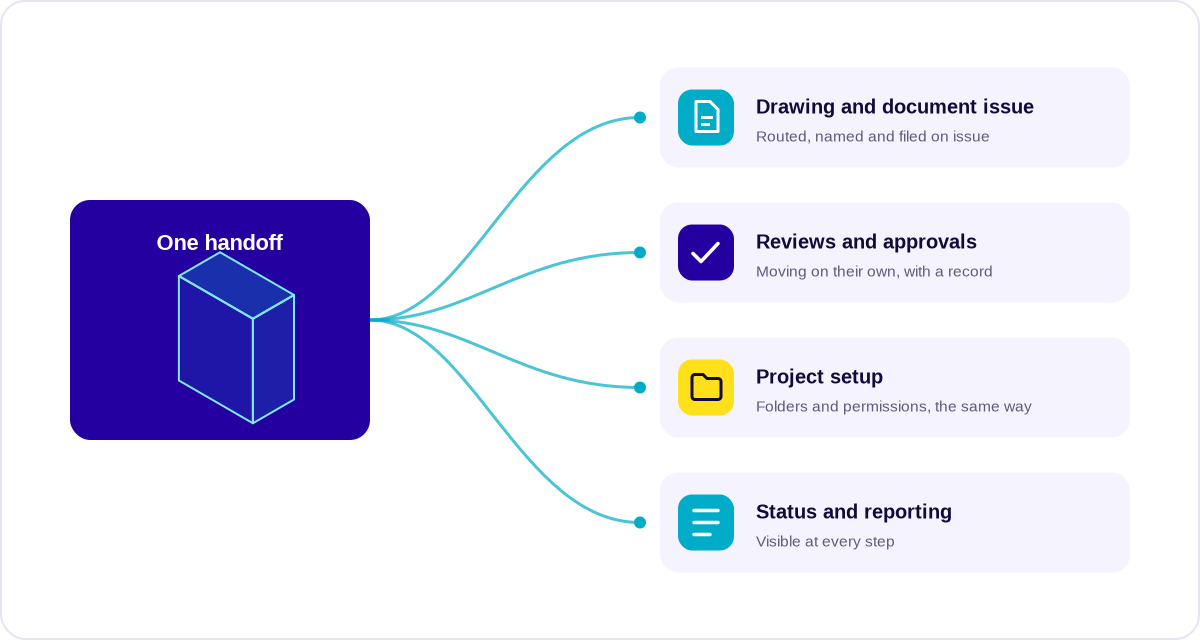
Construction workflow automation moves files, approvals and status between the systems an AEC firm already uses.
A drawing issue, a review or a project setup follows a defined route, so it no longer waits in an inbox or depends on someone remembering the next step.
At a glance
 Who it is for
- Design technology leads, BIM managers, project directors and IT teams in AEC firms
 What it covers
- Automated handoffs between design and project systems, built on Power Automate, Logic Apps, SharePoint and Azure Functions
 Who is responsible
- BluEnt designs, builds and tests. The firm’s IT team owns the Microsoft 365 tenant and licences
 How it is scoped
- Workflows with named outputs, agreed in writing before work begins
 How it starts
- A Project Data Walkthrough, at no charge

Where handoffs stall
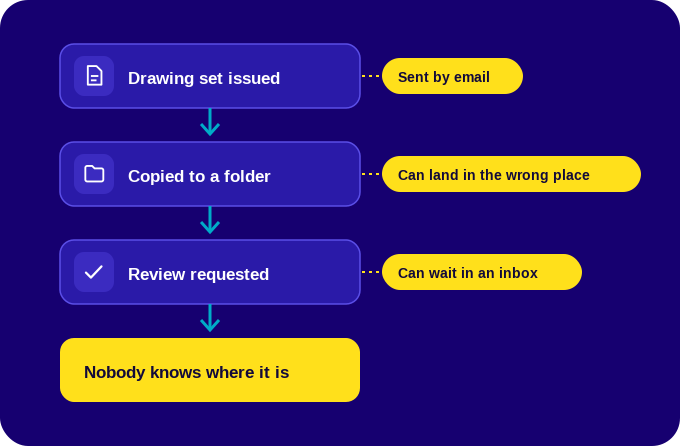
Most AEC handoffs still run on email.
A drawing set is issued, someone copies it to the right folder, someone else is told to review it, and the status lives in a spreadsheet.
Each step depends on a person remembering it. When that person is busy, the work waits, and nobody can see where it is.
What construction workflow automation covers
Handoffs between design and project-management systems, automated with the tools the firm already licenses.
| Workflow type | What it does |
|---|---|
| Drawing and document issue | Files routed, named and filed on issue, with the right people notified |
| Reviews and approvals | Approval steps that move on their own, with a record of who approved what |
| Project setup | New project folders, permissions and templates created the same way every time |
| Status and reporting | Status collected from each step, so progress is visible without asking |
| Data between platforms | Project data moved between Procore, Autodesk Construction Cloud and other systems |
How the work runs
From one stalled handoff to a documented workflow the firm owns.
Find the stalls
The handoffs that wait longest are found with the people who run them.
Map the route
Each handoff is mapped step by step, including who approves what.
Agree the route
BluEnt drafts the route; the firm approves it.
Build and test
The workflow is built in a test area of the firm’s tenant and tested with real documents.
Hand over
The workflow is handed over with a description and a runbook, to the firm’s IT team.

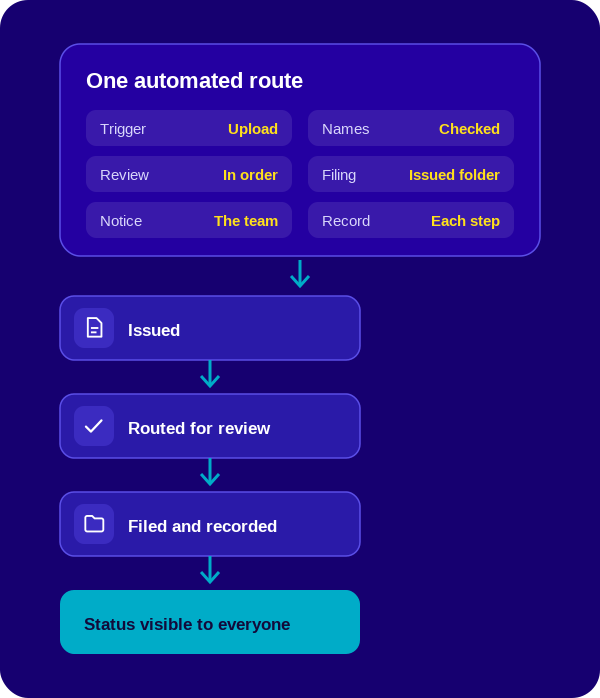
Email and spreadsheets, or an automated route
Who moves the work
Email and spreadsheets: Whoever remembers
Automated route: The workflow, every time
Where status lives
Email and spreadsheets: In someone’s inbox
Automated route: Visible at each step
What happens on a busy week
Email and spreadsheets: The work waits
Automated route: The route runs as defined
What an audit finds
Email and spreadsheets: Partial email threads
Automated route: A record of each step
Scopes in this service line
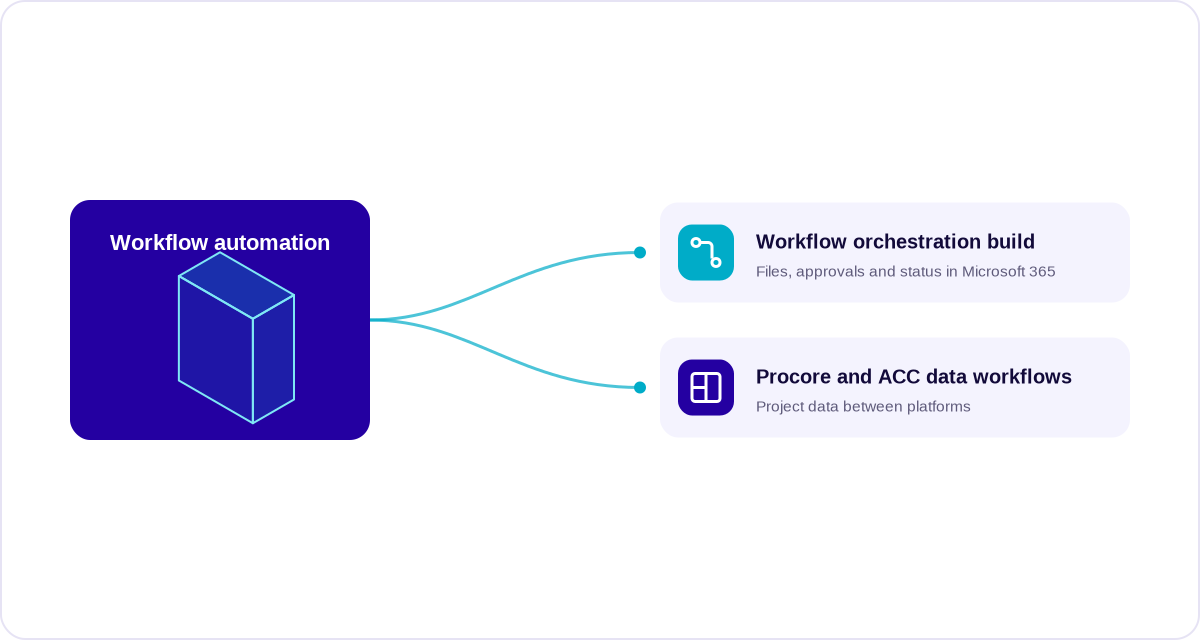
Smaller workflow and platform orchestration pieces, each with its own page, inputs and outputs. Workflow orchestration builds cover Power Automate and SharePoint workflows that move files, approvals and status. Procore and ACC data workflows cover project data moved between Procore, Autodesk Construction Cloud and other systems.
What this does not cover
- The work runs on the firm’s existing platforms, rather than on Autodesk Design Automation API development, headless model processing or custom platform extensions.
- Microsoft 365 licences and tenant administration remain with the firm’s IT team.
Drawing production is delivered through bluentcad.com, not through this service.

Delivery model and security
Offices in the US, Canada, the UK, the Netherlands and India. How delivery works.
SOC 2 Type I and Type II attestations held. Security & SOC 2.
Questions AEC professionals ask

Which tools are the workflows built on?
Microsoft Power Automate, Logic Apps, SharePoint and Azure Functions, inside the firm’s own Microsoft 365 tenant. Naming a product describes the work; it is not a partnership claim.
Do the workflows need new software?
Usually not. They are built on Microsoft tools the firm often already licenses. Any licensing need is identified before work begins.
Can workflows connect to Procore or Autodesk Construction Cloud?
On the data side, yes. Procore and ACC data workflows cover moving project data between those platforms and other systems.
Which handoff should be automated first?
Usually the one that waits longest or is repeated most. The Walkthrough identifies it with the people who run it.
Who can see the status of a workflow?
Status is collected at each step, so the people involved can see where the work is without asking.
What is the first step in workflow and platform orchestration?
With a Project Data Walkthrough, at no charge, centred on workflow and platform orchestration: one page naming the specific problems found, and one named next step.
"*" indicates required fields
Your information is used only to reply to this enquiry and is never shared outside BluEnt. Privacy policy
