




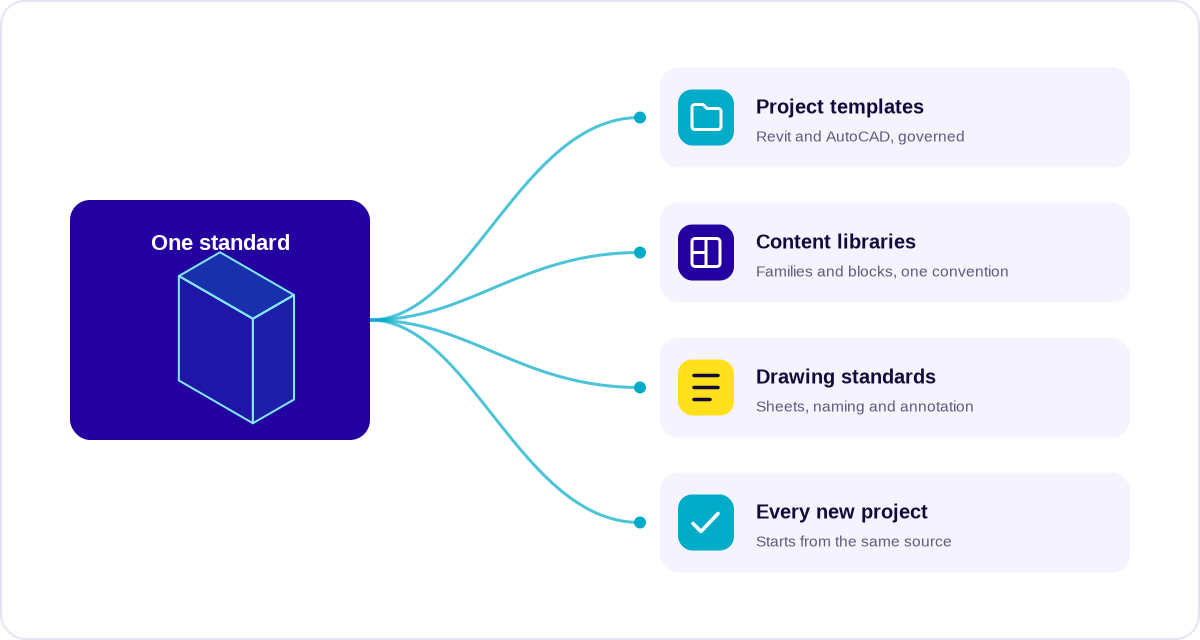
A Revit standards consultant sets up the templates, content libraries and drawing standards an AEC firm works from, and puts them where every new project picks them up.
BluEnt does this work from the drafting side: the same firm has produced construction drawings since 2003.
At a glance
 Who it is for
- Design technology leads, BIM managers and principals of AEC firms
 What it covers
- Revit and AutoCAD project templates, content libraries, drawing standards and how they reach each project
 Who is responsible
- BluEnt reviews, drafts and builds. The firm’s design technology lead approves the standard
 How it is scoped
- Agreed in writing before work begins, from the firm’s own templates and recent projects
 How it starts
- A Project Data Walkthrough, at no charge

Why standards drift between projects
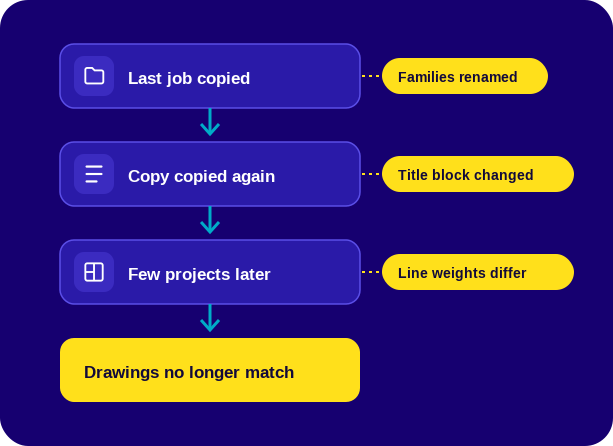
Standards usually drift because each new project starts from a copy of the last one.
A team copies the previous job’s template, renames a few families and changes a title block. The next team copies that copy.
After a few projects, two drawings from the same firm no longer match. Line weights differ, view templates disagree, and families with the same purpose carry different names, so schedules and quantities stop lining up. The standards document often still exists, but it describes the template as it was written, not as it is used.
What a Revit standards consultant puts in place
The work fixes the standard in the files people actually open, not only in a document.
| Area | What it covers |
|---|---|
| Project templates | Revit and AutoCAD templates with agreed view templates, sheets, title blocks, line weights and annotation |
| Content libraries | Families and blocks named, parameterised and organised to one convention |
| Drawing standards | Sheet setup, naming, numbering and annotation rules, written down and built into the template |
| Deployment | One governed location for the current template and library, so every new project starts from the same source |
| Change control | A single owner and a simple route for change requests, so the standard evolves without forking |
| Project setup checklist | A short list used when each new project is created, so the standard is applied from the first day |
How the work runs
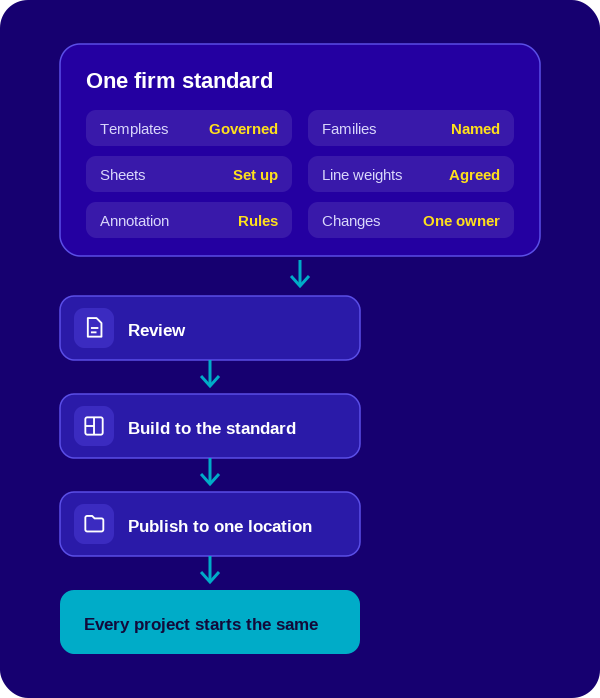
From an audit of today’s templates to a standard the firm’s own team maintains.
Review
The current templates, the library and a sample of recent projects are read, noting where they disagree.
Agree the standard
BluEnt drafts it; the firm’s design technology lead approves it.
Build
Templates, content and documentation are built to the approved standard.
Pilot
The standard is used on one live project, and anything that does not hold up in practice is corrected.
Deploy and hand over
The template and library are published to one governed location, with the change-control route and documentation.

A standard in a document, or a standard in the template
Where the rule lives
Standard in a document: A PDF that few people reopen
Standard in the template: The template every project starts from
What a new starter learns from
Standard in a document: Whatever project is open
Standard in the template: The same governed source
What happens on the next project
Standard in a document: The last copy is copied again
Standard in the template: The current standard is used
How changes are made
Standard in a document: Informally, project by project
Standard in the template: Through one owner, then published
Where standards pay off
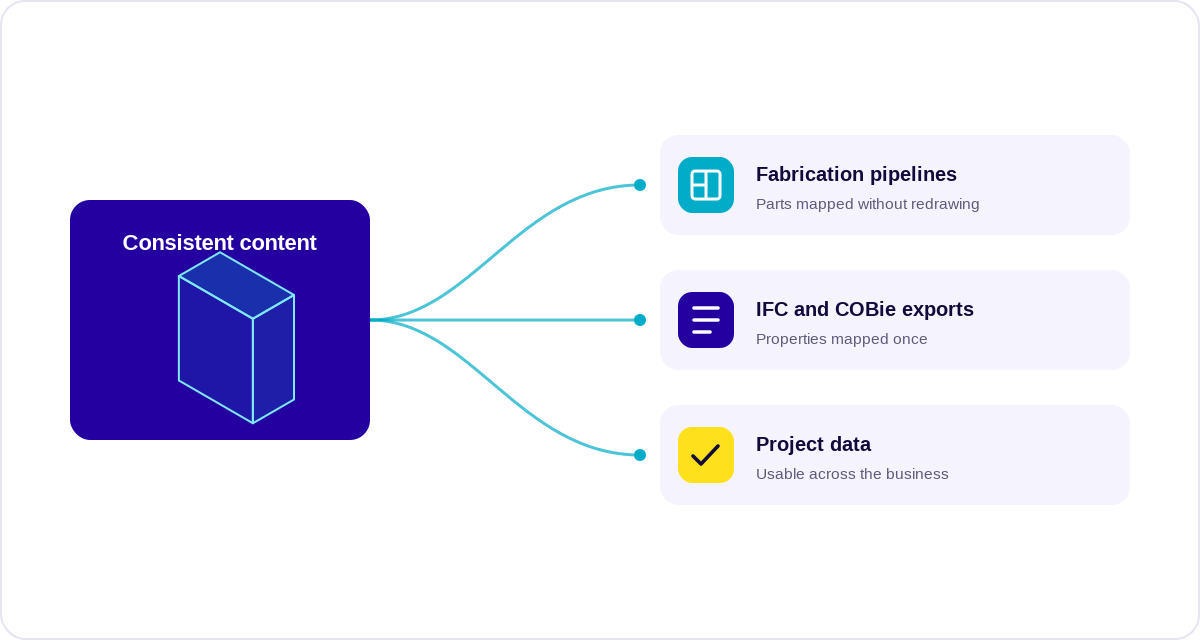
Consistent families and parameters are what make later automation possible. Fabrication pipelines, IFC and COBie exports and project data all depend on content that is named and structured the same way on every job. A standard set here is the groundwork for everything that reads the model afterwards.
What this does not cover
- The work sets the standard in templates and content, rather than building Revit add-ins, API tools or automated model checkers.
- Formal ISO 19650 information-management roles sit outside this work.
Drawing production is delivered through bluentcad.com, not through this service.

Delivery model and security
Offices in the US, Canada, the UK, the Netherlands and India. How delivery works.
SOC 2 Type I and Type II attestations held. Security & SOC 2.
Questions AEC professionals ask

Can existing templates be corrected rather than replaced?
Often, yes. The review shows which parts of the current template hold up and which have drifted. The decision to correct or rebuild is made with the firm’s design technology lead before any work begins.
Does this cover AutoCAD as well as Revit?
Yes. AutoCAD templates, blocks and drawing standards are covered alongside Revit, so drawings produced in either tool follow the same rules.
Who owns the standard after handover?
The firm does. The handover names a single owner and a route for change requests, so the standard can evolve without each project creating its own version.
How is the standard tested before it is rolled out?
On one live project first. Anything that does not hold up in practice is corrected before the standard is deployed.
Where do new projects get the template from?
One governed location, so every new project starts from the current standard rather than a copy of the last job.
How does a templates, standards and deployment engagement start?
With a Project Data Walkthrough, at no charge, centred on templates, standards and deployment: one page naming the specific problems found, and one named next step.
"*" indicates required fields
Your information is used only to reply to this enquiry and is never shared outside BluEnt. Privacy policy
