




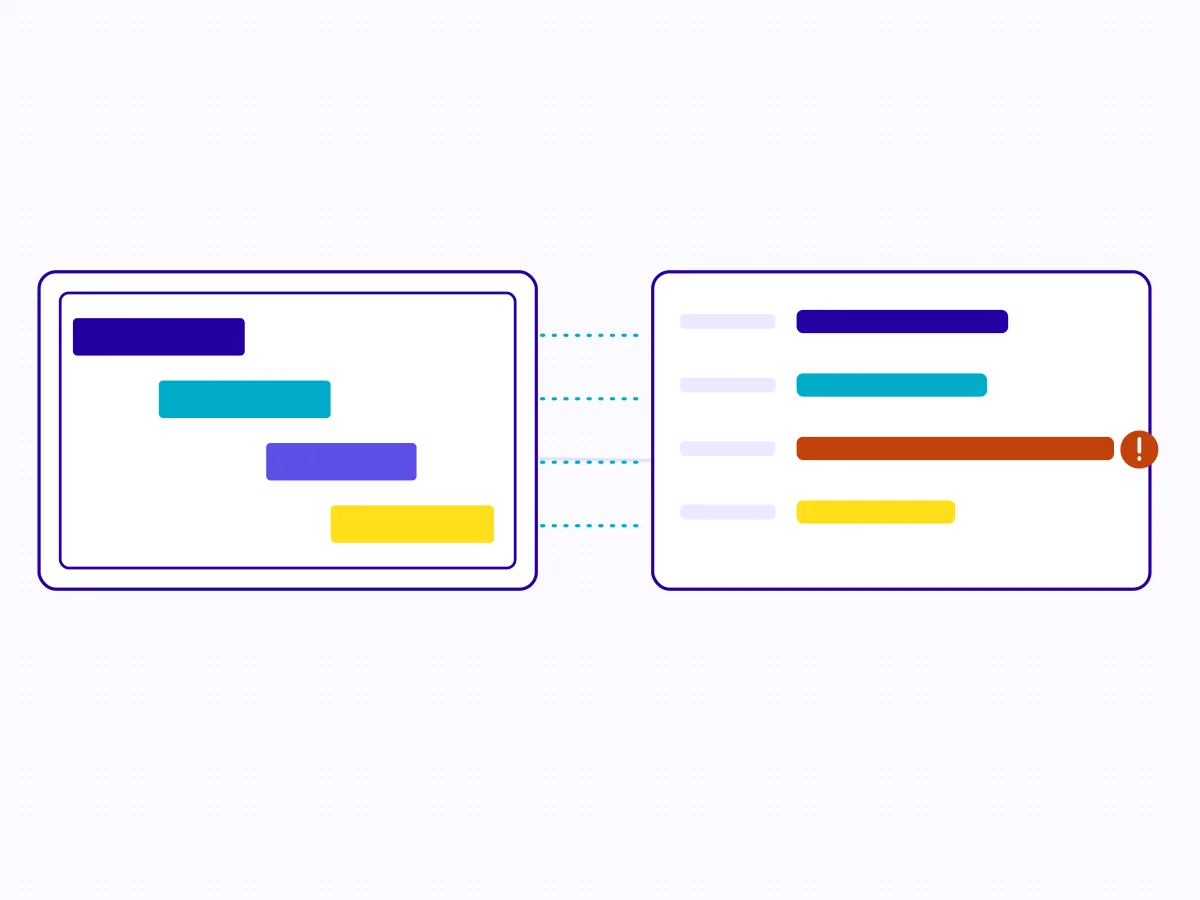
Cost and schedule integration in construction links schedule activities to the cost codes they drive.
Progress and spend can then be read side by side, so a project that is spending ahead of its progress shows up while there is time to respond.
At a glance
 Who it is for
- Directors of project controls, project executives and schedulers
 Inputs
- Schedules from Primavera P6 or Microsoft Project, job cost, and the cost-code structure
 Outputs
- Activities linked to cost codes, and progress-against-spend views
 Engagement shape
- Built after the data underneath is reconciled; agreed in writing before work begins
 How it starts
- A Project Data Walkthrough, at no charge

Why cost and schedule live apart
The schedule and the cost report are usually owned by different people in different systems.
Each is accurate on its own, but nobody sees whether the money spent matches the work done until month-end.
By then a job spending ahead of its progress has had weeks to drift, and the two reports are reviewed in separate meetings.
One job, two reports
How progress and spend are reviewed today
| Schedule | Owned by the scheduler, in P6 or Project |
|---|---|
| Cost report | Owned by finance, in the ERP |
| Comparison | At month-end, if at all |
How cost and schedule integration works
Schedule activities matched to cost codes, so progress and spend are read together.
| Step | What happens |
|---|---|
| Link | Schedule activities mapped to the cost codes they drive, agreed with project controls |
| Load | Schedule progress and job cost loaded into the same model |
| Compare | Progress and spend shown side by side, activity by activity |
| Flag | Activities where spend runs ahead of progress are highlighted |
Progress and spend, side by side
Who this is for
The roles who need to see whether the money spent matches the work done.
Director of Project Controls
Can cost and schedule be read together, without a spreadsheet in between?
For Directors of Project ControlsProject Executive
Which jobs are spending ahead of their progress, and since when?
Scheduler
Which activities drive which costs, agreed once and kept current?
How the work runs
The link between activities and cost codes is agreed first, then built on reconciled data.
Agree the link
How schedule activities map to cost codes is agreed with project controls.
Load both sides
Schedule progress and job cost are loaded into the same model.
Compare
Progress and spend are compared activity by activity, and any gap is flagged.
Refresh
The comparison is refreshed on a schedule matching how often schedules are updated.

Separate meetings, or one view
Where progress and spend are seen
Separate meetings: In two reports, by two teams
One view: Side by side, on one screen
When a gap shows
Separate meetings: At month-end
One view: As soon as it opens
How activities relate to cost
Separate meetings: Assumed
One view: Mapped and agreed
What the review discusses
Separate meetings: Whose figures are right
One view: What to do about the gap
Built on reconciled data, never on its own
Reporting is only as good as the data underneath it. A report built on unreconciled data fails the first time a number does not tie to the ledger, and trust is hard to win back. So reporting is built after the data is in order: source systems connected through construction ERP data integration, and modelled in the construction data warehouse. Where that groundwork does not yet exist, it comes first.
Reporting comes last
The order every report is built in
| Source systems | Connected and checked first |
|---|---|
| Data model | Defined once, reconciled to source |
| Reporting | Built on top, tied to the ledger |
What this does not cover
- Cost estimates come from the firm’s teams. The integration presents them; it does not produce them.
- Scheduling itself, including schedule creation and review, stays with the firm’s planners.
Drawing and model production are delivered through bluentcad.com, not through this service.

Delivery model and security
Offices in the US, Canada, the UK, the Netherlands and India. How delivery works.
SOC 2 Type I and Type II attestations held. Security & SOC 2.
Questions AEC professionals ask

Which scheduling tools are covered?
Primavera P6 and Microsoft Project. Naming a product describes the work; it is not a partnership claim.
Do schedules need to be cost-loaded already?
No. The link between activities and cost codes is agreed with project controls as part of the work.
How often is the comparison updated?
On a schedule agreed with the firm, usually matching how often schedules are updated.
What if one activity drives several cost codes?
That is common. The mapping is agreed with project controls, so each cost code is counted once.
What is the first step in cost and schedule integration?
With a Project Data Walkthrough, at no charge, centred on cost and schedule integration: one page naming the specific problems found, and one named next step.
"*" indicates required fields
Your information is used only to reply to this enquiry and is never shared outside BluEnt. Privacy policy
