




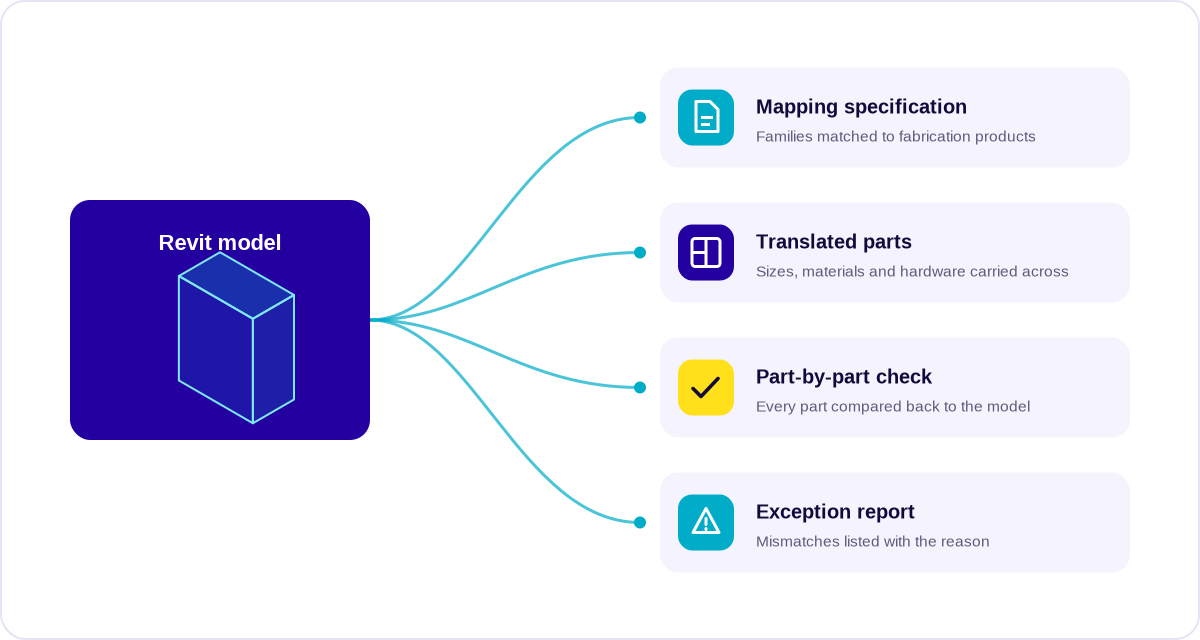
Revit to Cabinet Vision and Microvellum work replaces redrawing with mapping.
Each Revit family and parameter is matched to its fabrication equivalent, so parts arrive with their sizes, materials and hardware intact, and any part that does not match is reported.
At a glance
 Who it is for
- Millwork and casework fabricators, and the design teams who model for them
 Inputs
- Revit models and families, the firm’s Cabinet Vision or Microvellum libraries, and sample jobs
 Outputs
- A mapping specification, translation and checking logic, an exception report and a maintenance guide
 Who is responsible
- BluEnt maps, builds and tests. The firm approves the mapping
 Engagement shape
- A build with named outputs, agreed in writing before work begins

Why a model rarely arrives intact
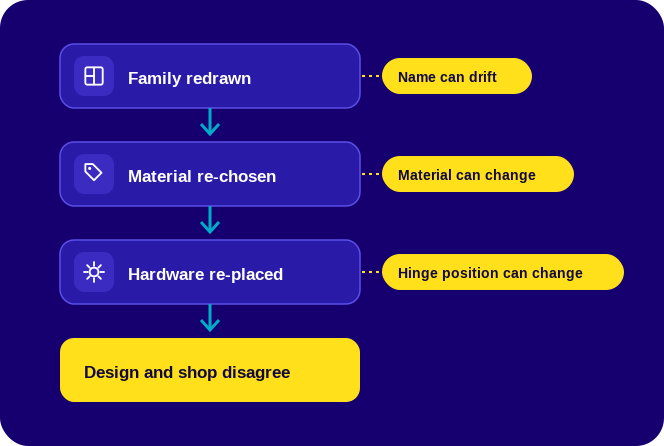
Revit and fabrication software describe the same cabinet in different terms.
A Revit family carries parameters for its designer. Cabinet Vision and Microvellum need construction methods, materials, edge banding and hardware in their own structure.
Without a map between the two, the part is redrawn. Names drift, materials are re-chosen and hardware is re-placed, so the fabrication model no longer matches the design.
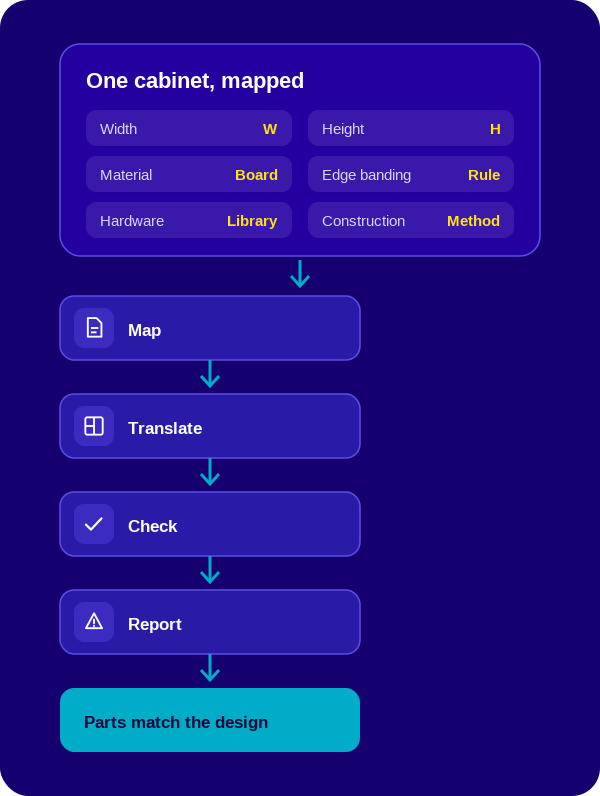
How the Revit to Cabinet Vision route works
Five steps that replace redrawing with a written map, checked part by part.
| Step | What it does |
|---|---|
| Map | Each family, parameter, material and hardware item is matched to its fabrication equivalent, in a written specification |
| Translate | Parts are carried from the model into Cabinet Vision or Microvellum using that map |
| Check | Every part is compared back against the model |
| Report | Parts that do not match are listed with the reason, before they reach the shop |
| Maintain | A guide explains how to update the map when libraries change |
How the work runs
From today’s handoff to a tested route the firm can maintain.
Map the handoff
The current route from model to fabrication software is traced with the firm’s production lead.
Agree the mapping
BluEnt drafts the mapping specification; the firm approves it.
Build
The translation and checking logic is built by BluEnt.
Run sample jobs
Sample jobs are run, and every exception is resolved with the firm’s team.
Hand over
The route is handed over with the mapping maintenance guide.

Redrawn by hand, or mapped once
How a part reaches fabrication
Redrawn by hand: Redrawn from the drawings
Mapped once: Translated from the model
Materials and hardware
Redrawn by hand: Re-chosen each time
Mapped once: Carried across by the map
When something does not match
Redrawn by hand: Found on the shop floor
Mapped once: Listed before release
When the library changes
Redrawn by hand: Workarounds, learned by one person
Mapped once: The map is updated and re-tested
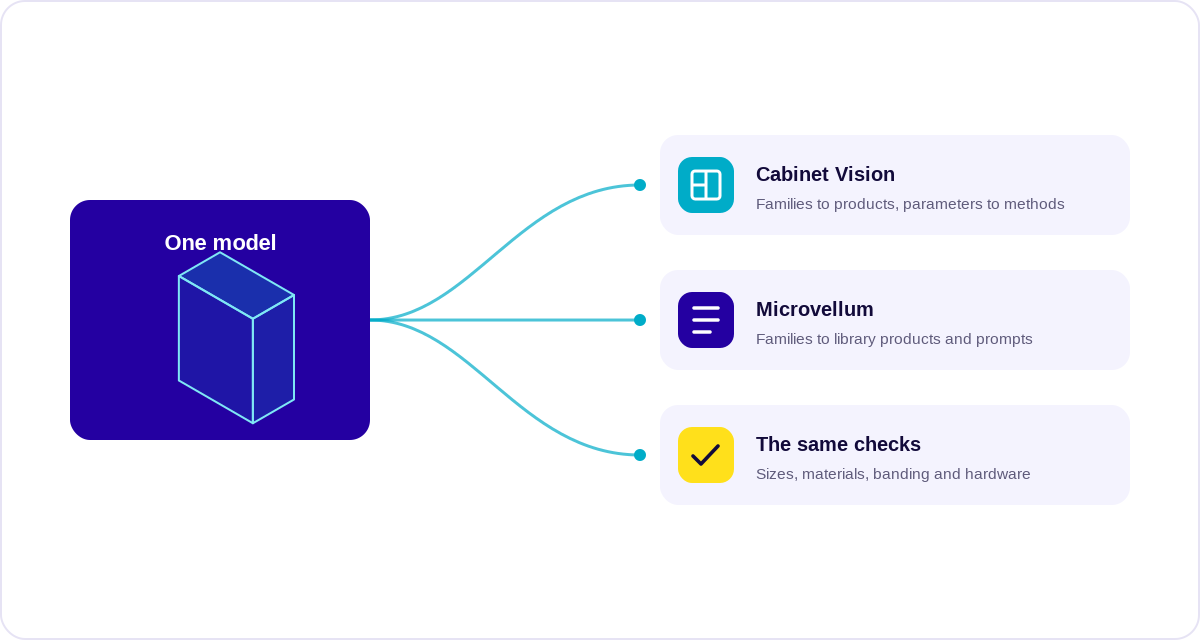
Cabinet Vision and Microvellum, side by side
Both are covered, and the route is built to the software the firm already runs. In Cabinet Vision, families map to products and parameters to construction methods and materials. In Microvellum, an AutoCAD-based environment with its own product library, families map to library products and parameters to product prompts and materials. Sizes, materials, edge banding and hardware are checked part by part in both, against the same model. Naming a product describes the work; it is not a partnership claim.
What this does not cover
- Revit add-in development and Autodesk Platform Services work are not part of this service.
- Software licences are not supplied or resold.
Drawing production is delivered through bluentcad.com, not through this service.

Delivery model and security
Offices in the US, Canada, the UK, the Netherlands and India. How delivery works.
SOC 2 Type I and Type II attestations held. Security & SOC 2.
Questions AEC professionals ask

Does this need changes to the firm’s Revit families?
Sometimes. Families with consistent names and parameters map cleanly; inconsistent ones are listed during mapping, so the firm can decide whether to correct them first.
Can both Cabinet Vision and Microvellum be supported?
Yes. The route is built for the software the firm runs. A firm running both can have a map for each.
What happens when the fabrication library changes?
The maintenance guide explains how to update the map. Changes are tested on a sample job before they are used in production.
Are materials and hardware carried across as well as sizes?
Yes. Materials, edge banding and hardware are part of the map, and each is checked part by part against the model.
What happens to a part that does not match?
It is listed in the exception report with the reason, before it reaches the shop, rather than being forced through.
What is the first step in Revit to Cabinet Vision and Microvellum?
With a Project Data Walkthrough, at no charge, centred on Revit to Cabinet Vision and Microvellum: one page naming the specific problems found, and one named next step.
"*" indicates required fields
Your information is used only to reply to this enquiry and is never shared outside BluEnt. Privacy policy
