




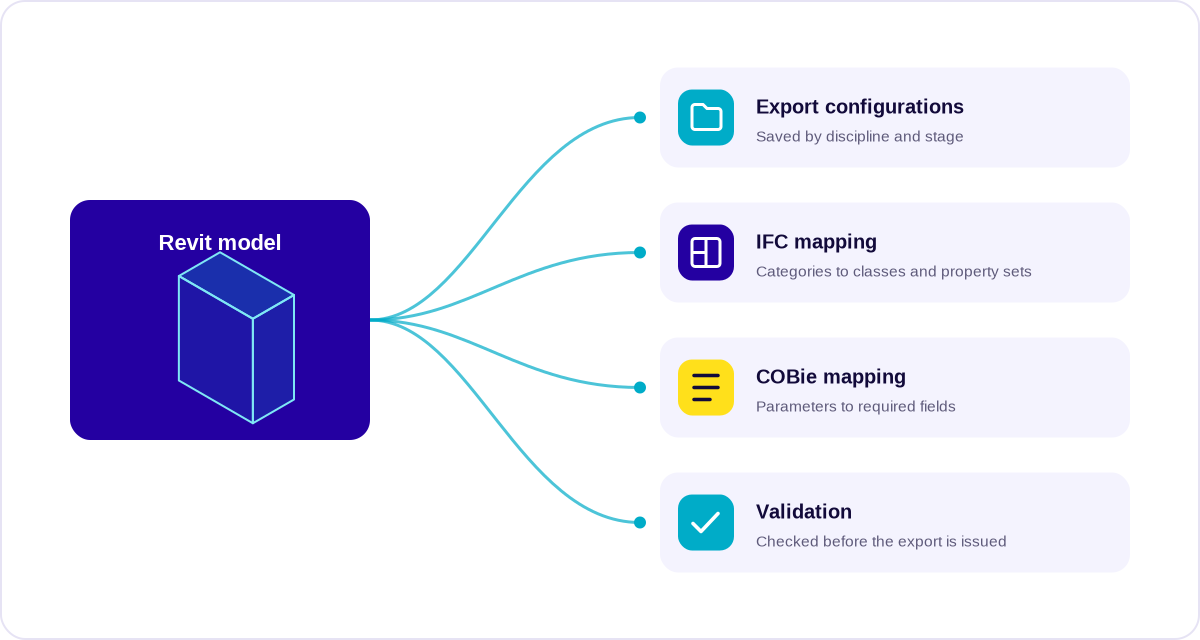
IFC and COBie export automation replaces project-by-project export setup with a governed configuration.
Exports are defined by discipline and project stage, mapped to the properties the client requires, and checked before they are issued.
At a glance
 Who it is for
- BIM and VDC leads, and design teams delivering IFC and COBie at handover
 Inputs
- Revit models, the client’s information requirements, and a sample of past exports
 Outputs
- Export configurations by discipline and stage, property mappings, a validation check and a guide
 Who is responsible
- BluEnt sets up and tests. The firm’s BIM lead approves the mappings
 Engagement shape
- Scoped work with named outputs, agreed in writing before work begins

Why handover exports take so long
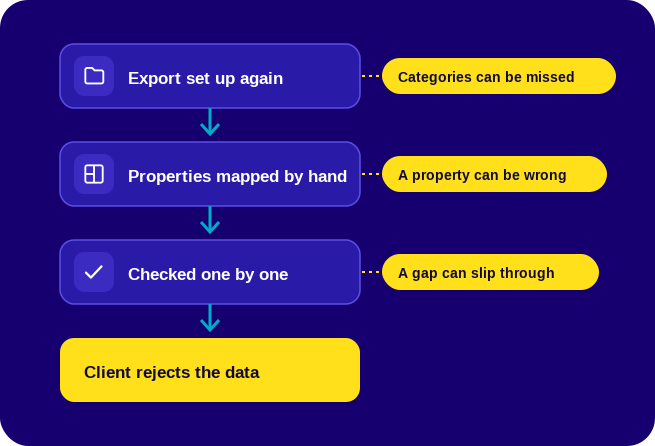
On many projects, IFC and COBie exports are set up again by hand.
Each export needs the right categories, property sets and naming, then the result is checked against the client’s requirements one property at a time.
When the setup lives in one person’s settings, the next project starts from nothing, and errors surface only when the client rejects the data.
What IFC and COBie export automation sets up
Export settings by discipline and stage, checked against the client’s information requirements.
| Area | What it covers |
|---|---|
| Export configurations | Saved setups by discipline and project stage |
| IFC mapping | Revit categories and parameters mapped to IFC classes and property sets |
| COBie mapping | Model parameters mapped to the COBie fields the client requires |
| Validation | Exports checked against the client’s information requirements before issue |
| Exception list | Missing or incorrect values listed for correction in the model |
| Guide | How to apply the setups on new projects, and how to change them |
How the work runs
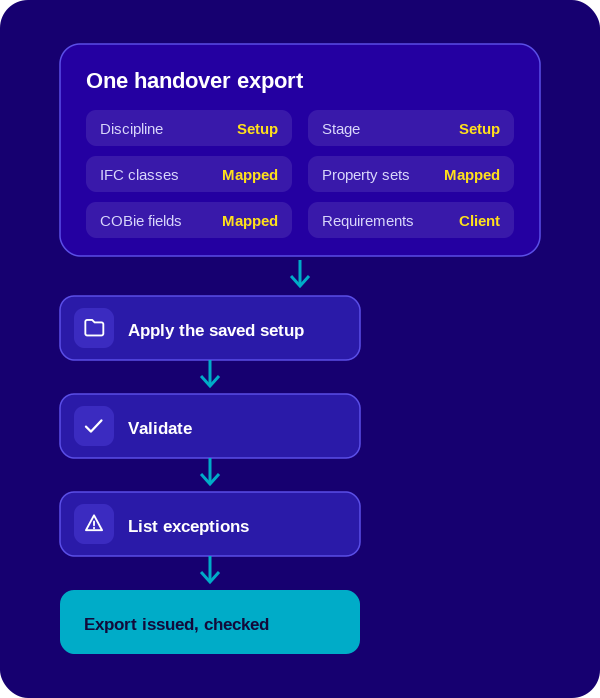
From today’s export settings to a validated setup the firm’s team maintains.
Read the requirements
The client’s information requirements and a sample of past exports are read with the firm’s BIM lead.
Agree the mappings
BluEnt drafts the mappings; the BIM lead approves them.
Build
The export configurations and checks are built by BluEnt.
Test
The setup is tested on a live model, and every exception is resolved with the project team.
Hand over
The setup is handed over with the guide.

Set up by hand, or set up once
Each new project
Set up by hand: Starts from nothing
Set up once: Starts from saved configurations
Who can run an export
Set up by hand: One experienced person
Set up once: Anyone following the guide
When errors are found
Set up by hand: When the client rejects the data
Set up once: Before the export is issued
When requirements change
Set up by hand: Every setting is revisited
Set up once: The mapping is updated once
Checked against the client’s information requirements
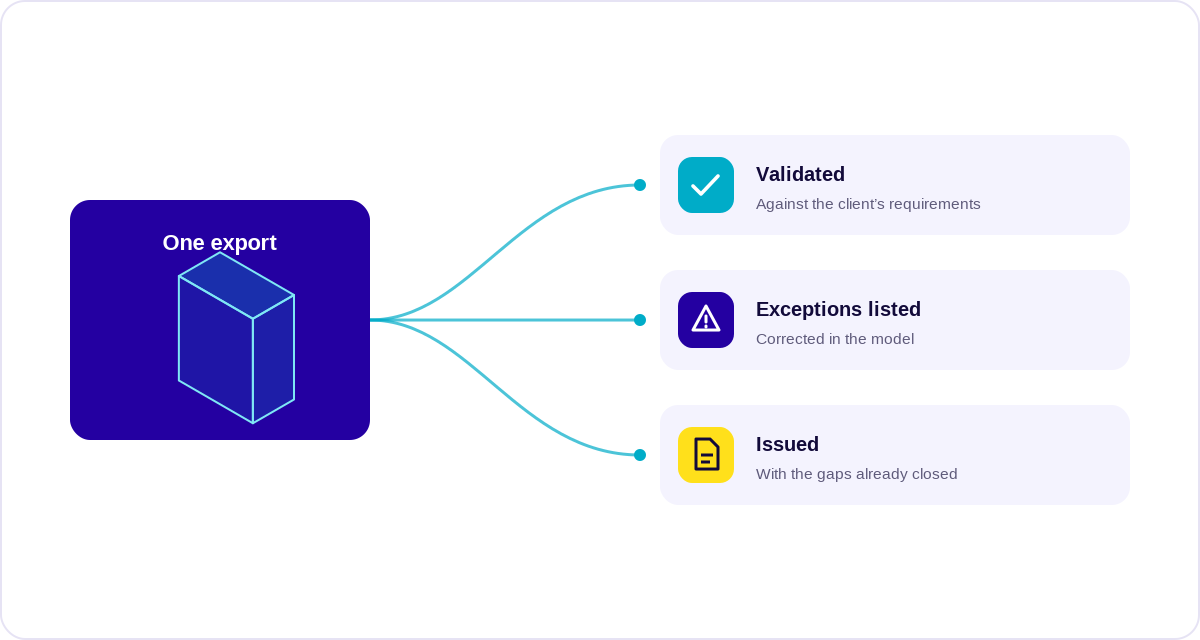
Every export is validated against the client’s requirements before it leaves the firm. Missing or incorrect values are listed in an exception list, so they are corrected in the model, where they belong, rather than patched in the export. The IFC version is the one the client’s requirements specify.
What this does not cover
- Formal ISO 19650 information-management roles sit outside this work.
- Facilities-management system implementation is not included.
- Model authoring and drawing production are delivered through bluentcad.com.
Drawing production is delivered through bluentcad.com, not through this service.

Delivery model and security
Offices in the US, Canada, the UK, the Netherlands and India. How delivery works.
SOC 2 Type I and Type II attestations held. Security & SOC 2.
Questions AEC professionals ask

Which IFC versions are covered?
The version the client’s requirements specify. The export configurations are set up to that version and tested before use.
Can COBie be produced without changing the model?
Only if the model already holds the required parameters. Gaps are listed in the exception list, so the firm can decide where the data should be added.
Is this the same as information management under ISO 19650?
No. This work sets up and checks exports. Formal information-management roles under ISO 19650 sit outside this work.
Can the setup be reused on the next project?
Yes. Configurations are saved by discipline and stage, and the guide explains how to apply and change them.
What if the client’s requirements change mid-project?
The mapping is updated once and re-tested, rather than every setting being revisited by hand.
How does a IFC and COBie export automation engagement start?
With a Project Data Walkthrough, at no charge, centred on IFC and COBie export automation: one page naming the specific problems found, and one named next step.
"*" indicates required fields
Your information is used only to reply to this enquiry and is never shared outside BluEnt. Privacy policy
